What Are Fake Apps?
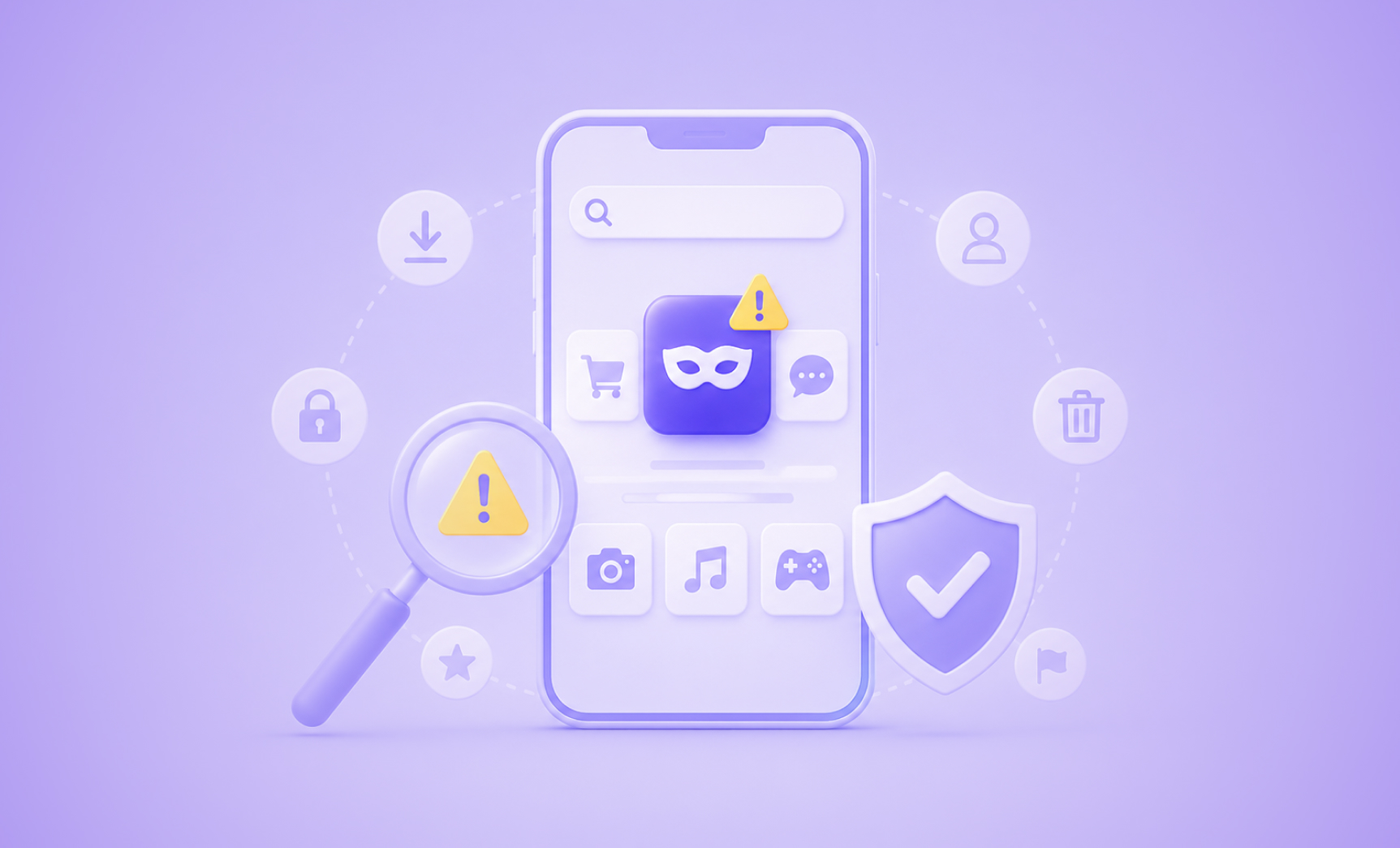
A fake app is an unauthorized, malicious, or counterfeit mobile application designed to imitate a legitimate brand’s app. These rogue apps copy logos, app icons, screenshots, descriptions, and sometimes entire interfaces to appear authentic. Once a user installs one, the app can steal login credentials, install malware, intercept sensitive data, or simply run adware campaigns to generate fraudulent revenue.
Fake apps are a form of online brand protection threat that operates directly inside the mobile ecosystem. Unlike a lookalike website that a user might stumble across, a fake app appears inside trusted environments like the Apple App Store, Google Play, and the dozens of other regional and OEM app stores where the same brand impersonation plays out, which makes users far less likely to question whether it is legitimate. That implicit trust is precisely what attackers exploit.
The threat is significant and growing. Mobile app fraud sits at the intersection of phishing, malware distribution, and brand abuse, making it one of the more complex threats for both brand protection teams and everyday consumers to manage.
How Are Fake Apps Created and Distributed?
Attackers use several distribution channels to get fake apps in front of victims. Understanding the landscape helps both individuals and security teams know where to look.
| Distribution Channel | Risk Level | Notes |
|---|---|---|
| Google Play Store | Medium | Vetting exists, but malware has bypassed it repeatedly (e.g., Joker malware). |
| Apple App Store | Medium | “Walled garden” approach reduces risk, but not immune to sophisticated submissions. |
| OEM App Stores (Samsung Galaxy Store, Huawei AppGallery) | High | Manufacturer-operated stores with variable vetting standards. |
| Third-Party App Stores | Very High | Minimal or no vetting; hundreds of stores operate globally. |
| Direct APK Download (Sideloading) | Very High | No store oversight; user installs file directly from a link. |
| SMS / Phishing Campaigns | Very High | Attacker sends a link to a lure page that hosts the malicious app. |
| Fake Social Media Ads | High | App promoted via paid or organic social posts using brand assets. |
Third-party stores represent the largest exposure surface. There are hundreds of them operating globally, many targeting specific regions or device manufacturers, and most have little or no vetting infrastructure. Fake apps also routinely use brand keywords, scraped screenshots, and fabricated reviews to game search rankings within whichever store they appear in.
Common Types of Fake Apps
Not all fake apps are built for the same purpose. The table below breaks down the most common categories, what attackers are after, and which industries are most frequently targeted.
| App Type | Primary Goal | Most Targeted Industries |
|---|---|---|
| Clone / Copycat Apps | Credential theft, malware delivery | Banking, fintech, crypto, retail |
| Fake Banking Apps | Steal login credentials and payment data | Financial services |
| Fake Crypto / Investment Apps | Fraud, wallet draining, credential theft | Crypto, DeFi, fintech |
| Trojanized Utility Apps | Malware delivery disguised as a useful tool | Consumer / general |
| Fake Job / Recruitment Apps | Data harvesting, identity theft, malware | HR, staffing, any brand with a careers program |
| Adware-Stuffed “Free” Versions | Ad fraud revenue from hijacked sessions | Gaming, entertainment, productivity |
| Fake Government / Service Apps | Phishing for personal and financial data | Public sector, insurance, healthcare |
In the financial services sector, fake banking apps are particularly damaging. Victims enter real credentials into what appears to be their bank’s login screen, handing attackers direct account access. In the crypto space, fake investment apps have cost users millions of dollars through fraudulent wallet interfaces and manipulated trading screens.
Why Fake Apps Are Dangerous
The risk from a fake or malicious app falls into two broad categories: harm to the end user and harm to the brand being impersonated.
For Consumers:
- Stolen usernames, passwords, and multi-factor authentication codes
- Unauthorized access to bank accounts and crypto wallets
- Installation of spyware, ransomware, or banking trojans
- Unauthorized charges and fraudulent transactions
- Personal data sold on dark web marketplaces
Stolen credentials and personal data don’t stay contained to the app that leaked them. They resurface on dark web forums, Telegram channels, and fraud marketplaces, which is why monitoring can’t stop at the app store. Dark Web Monitoring extends visibility to where that stolen data ends up next.
For Brands:
- Reputational damage when customers associate a breach with the legitimate company
- Customer churn: research indicates that 15 percent of customers who fall for a scam associated with a brand never return
- 72% of impersonations now mimic full customer journeys, from login to checkout to support chat, according to Bolster AI’s 2026 Fraud Trends and Prediction Report, making a fraudulent app harder for victims to distinguish from the real thing
- Increased support costs from fraud reports and account recovery requests
- Intellectual property and trademark infringement with limited legal recourse across global app stores
- Secondary liability exposure if a fake app collects user data under the guise of the brand’s identity
The speed of these campaigns compounds the damage. According to Bolster AI’s 2026 Fraud Trends and Prediction Report, 1 in 4 victims engages with a scam within 24 hours of it going live. A fake app that surfaces on a Friday afternoon can cause hundreds of fraudulent logins before a brand’s security team even identifies it on Monday.
A Real-World Example: How a Fake App Attack Plays Out
Here is a representative example of how a modern fake app campaign unfolds, based on patterns Bolster AI’s threat research team observes regularly.
Step 1: Setup.
An attacker identifies a mid-sized financial brand with a popular consumer app and a large mobile user base. They download the legitimate app, extract the icon and branding assets, and build a clone with a malicious overlay that captures any credentials entered.
Step 2: Distribution.
The fake app is submitted to three or four third-party Android app stores using a developer account name slightly different from the real company, a common tactic known as app impersonation. Simultaneously, the attacker runs an SMS campaign targeting existing customers with a message claiming there is a “security update” that requires them to download the new version from a provided link.
Step 3: Infection.
Users who follow the link are taken to a fake landing page hosting the APK. Those who install it see a pixel-perfect copy of the legitimate app. When they log in, their credentials are silently captured and transmitted to the attacker’s server.
Step 4: Exploitation.
Within hours, account takeovers begin. The brand’s fraud and support teams start receiving complaints. Because the app appeared in a third-party store rather than an official one, neither Apple nor Google has visibility into the threat.
Step 5: Prolonged Exposure.
Even after the initial app is reported and removed from one store, the attacker re-uploads it under a new developer account name. Without continuous post-takedown monitoring, the fake app returns within days.
None of this required a second channel to succeed, and that’s the point. App-only monitoring would have missed most of this attack: the SMS lure, the fake landing page, and the re-uploaded clone all happened outside the app store listing itself. Closing that gap is exactly what a cross-channel platform is built to do.
This cycle, detect, remove, and re-emerge, is why one-time manual takedowns are not sufficient for brands that face sustained impersonation campaigns.
See how continuous monitoring closes this gap. Bolster AI detects, takes down, and keeps watching for fake apps across 500-plus stores so the same campaign can’t quietly relaunch.
Warning Signs: How to Identify a Fake App
Whether you are a consumer evaluating an app before downloading or a security professional reviewing a suspicious listing, these are the most reliable indicators that an app may be fraudulent.
| Warning Sign | What to Look For |
|---|---|
| Developer name mismatch | The developer listed is not the official brand name or a verified subsidiary. |
| Recent publication date with few reviews | Legitimate apps from established brands have long histories; brand-new listings with hundreds of installs but no reviews are a red flag. |
| Poor or generic reviews | Look for reviews that are overly enthusiastic, repetitive, or grammatically poor, which are common signs of fake review injection. |
| Requests for excessive permissions | An app that requests access to contacts, SMS, or file storage when it has no reason to do so is suspicious. |
| No link to an official website | Legitimate brands always associate their app listing with a verified website or support URL. |
| Mismatched or low-quality branding | Slight variations in logo color, icon shape, or font spacing often indicate a counterfeit. |
| Unusually small or large file size | Clone apps may be much smaller than the real app; trojanized apps that bundle malware may be significantly larger. |
| App not listed on the brand’s official website | Always cross-reference: a real brand will link to their official app store listing from their website or support pages. |
How to Protect Yourself as a Consumer
If you are a mobile user concerned about fake apps, these practices significantly reduce your exposure.
Download from official stores whenever possible.
While not immune to malicious apps, Google Play and the Apple App Store have vetting processes that third-party stores lack. Avoid downloading APKs from links sent via SMS, email, or social media.
Verify the developer name.
Before installing, search for the app on the brand’s official website. The developer name on the store listing should match exactly.
Scan suspicious URLs before clicking.
If you receive an unsolicited message or ad linking to an app download, run the URL through CheckPhish, Bolster AI’s free URL scanning tool, before visiting. It identifies phishing pages and malicious domains in real time.
Read recent reviews, not just the star rating.
Fake apps often generate a burst of artificial five-star reviews at launch. Scroll to the most recent reviews and look for detailed, specific feedback.
Review permissions before installing.
If an app asks for access to your camera, microphone, contacts, or SMS and there is no clear reason it would need those things, decline or uninstall.
Keep your operating system and apps updated.
Updates frequently patch vulnerabilities that malicious apps attempt to exploit.
Report suspected fake apps.
Both Apple and Google have in-app reporting tools for flagging fraudulent listings. Using them helps protect other users even if it does not guarantee immediate removal.
How Businesses Can Detect Fake Apps Impersonating Their Brand
For companies with a consumer-facing app, manual monitoring is not a viable strategy. Here is why:
- There are more than 500 app stores operating globally, including regional OEM stores and unregulated third-party marketplaces.
- Attackers routinely publish fake apps across multiple stores simultaneously, often targeting regions where the brand has lower monitoring coverage.
- Apps are frequently uploaded under slightly altered developer names or with minor changes to logos designed to evade keyword-based searches.
- Fake apps reappear quickly after removal, often under a new account, making one-time takedowns ineffective.
What automated app store monitoring looks for:
| Detection Signal | Description |
|---|---|
| Logo and icon similarity | AI-powered image recognition identifies apps using a brand’s visual assets even when they are slightly modified. |
| App metadata matching | Scanning app names, descriptions, and keywords for unauthorized use of brand terms. |
| Developer account patterns | Flagging developer accounts with no history or a history of policy violations. |
| User review signals | Identifying unusual review patterns that suggest fake or injected content. |
| Linked domains and URLs | Checking URLs listed in app metadata against known malicious or lookalike domains. |
| Post-takedown reactivation | Continuous monitoring after a takedown to detect re-uploads under new accounts. |
Bolster AI’s App Store Monitoring and Takedowns platform monitors across 500-plus app stores globally, including both the major branded stores and the unregulated marketplaces that brands often overlook. Detection runs on deep learning and natural language processing, and confirmed threats are automatically escalated as part of a broader digital risk protection program, with direct integrations into platform trust-and-safety teams.
Detections don’t stay siloed either. Bolster AI integrates directly with SIEMs, SOARs, and Slack, so confirmed threats flow straight into the workflows security teams already use. Bolster Signals adds another layer, surfacing early indicators of an emerging campaign before it scales to hundreds of fake listings. The investment pays for itself quickly: every $1 spent on Bolster AI returns 5.8x in prevented fraud, reduced churn, and avoided brand damage.
How to Report and Remove a Fake App
Whether you are an individual reporting a suspicious app or a brand protection team managing a formal takedown, the process follows a similar sequence.
Step 1: Document the threat.
Before filing anything, build your evidence package. Screenshot the full app listing, note the developer account name, record the store URL, and log the date you discovered it. Without this documentation, platform reports and any subsequent legal filings will be far less effective.
Step 2: Report through the app store.
Use the platform’s official abuse or report tool. Google Play, the Apple App Store, and most major OEM stores all have formal reporting mechanisms for fraudulent or policy-violating apps. Submit your evidence directly through those channels as a first step.
Customer reports are a detection source, not just a support burden. Forwarded scam texts and phishing emails feed directly into Bolster AI’s Customer Abuse Mailbox, turning victim reports into automated takedowns instead of one-off tickets.
Step 3: Submit a brand abuse or trademark claim.
A general abuse report is often deprioritized. For brand impersonation cases, file a formal trademark or IP infringement report through the platform’s legal request portal instead. This routes your complaint to a team with authority to act on intellectual property violations rather than general policy enforcement.
Step 4: Escalate if unresponsive.
If the app store does not act within a reasonable timeframe, escalate. File a DMCA notice against any web domains linked to the fake app listing, and contact the hosting provider directly with your evidence package. Bolster AI’s guide to DMCA takedowns walks through this process in full, including what to include in a notice and how to follow up when providers are slow to respond.
Step 5: Monitor for re-uploads.
This is the step most teams skip, and it is the most important one. Attackers routinely re-upload the same fake app under a new developer account within days of a takedown. Check the store and related stores on a weekly cadence after removal, and treat the initial takedown as the start of an ongoing monitoring effort, not the end of it.
The most common failure point in this process is step five. Brands that stop monitoring after a single removal often find the same fake app resurfacing within a week. Continuous, automated monitoring is the only reliable way to maintain coverage across the full global app store landscape.
For a broader overview of the takedown process and what to do when a hosting provider or store does not respond, the Bolster AI guide to website takedowns covers escalation paths that apply to app-adjacent infrastructure as well.
How Bolster AI Detects and Takes Down Fake Apps
Bolster AI’s App Store Monitoring and Takedowns platform is purpose-built for the scale and complexity of the fake app threat. Rather than relying on manual searches or reactive reporting, Bolster AI combines deep learning, natural language processing, and image recognition to continuously scan more than 500 app stores for unauthorized use of a brand’s identity.
When a fake app is detected, Bolster AI’s system automatically collects comprehensive evidence of brand and trademark infringement, including screenshots, IP data, and app metadata. That evidence package is then used to trigger automated takedown requests directly with the relevant platform, with no manual handoff required.
After a takedown is completed, monitoring continues. Post-takedown surveillance flags any reactivation or clone behavior, and the process restarts automatically if the same or a similar threat resurfaces.
For a full overview of how the platform works or to see it in action for your brand’s specific threat surface, visit the Bolster AI App Store Monitoring and Takedowns page or request a demo to see a custom threat assessment.
Protect Your Brand From Fake Apps
Fake apps are not a niche threat. They are a scaled, industrialized form of brand abuse that combines phishing, malware, and identity fraud into a single distribution mechanism. And unlike a fake website that a vigilant user might think twice about before entering their credentials, a fake app that appears inside an official store inherits all the trust users already associate with that environment.
But fake apps rarely operate alone. They are one channel in a broader impersonation campaign that typically spans domains, social media, app stores, the dark web, and direct customer reports. The only reliable defense treats all of those channels as one problem: continuous, automated monitoring across the full app store landscape, connected to the same platform that covers domains, social media, dark web activity, and abuse mailbox reports, paired with fast, evidence-based takedown capabilities that don’t stop after the first removal.
Bolster AI’s App Store Monitoring and Takedowns platform provides exactly that coverage: 24/7 scanning across 500-plus stores, automated evidence collection, and direct integrations with platform trust-and-safety teams to get fake apps removed before they can harm your customers.
Ready to see the full picture across every channel attackers use? Bolster AI covers domains, social media, app stores, the dark web, and customer reports in one platform.
Frequently Asked Questions
What is a fake app?
A fake app is an unauthorized mobile application that copies the branding, name, and sometimes the functionality of a legitimate app to deceive users. Fake apps are typically used for credential theft, malware delivery, or financial fraud.
How do I know if an app is fake?
Check the developer name against the brand’s official website, review the app’s publication date and review history, and look for any permission requests that do not match the app’s stated purpose. When in doubt, navigate to the brand’s official website and use the link to the app store listing they provide rather than searching the store directly.
Can a fake app be reported and removed?
Yes. Both Google and Apple have formal processes for reporting fraudulent or policy-violating apps, and most third-party stores will respond to documented trademark infringement claims. The process can be slow, and apps frequently reappear after removal, which is why brands typically rely on dedicated monitoring services to manage the ongoing cycle.
Are fake apps illegal?
In most jurisdictions, yes. Distributing a fake app that impersonates a brand typically violates trademark law, computer fraud statutes, and the terms of service of every major app store platform. Legal enforcement is difficult when the attacker operates across multiple countries, which is why platform-level takedowns are often faster and more practical than pursuing criminal charges.
How long does it take to get a fake app taken down?
This varies significantly by platform and the quality of the evidence submitted. With automated detection and evidence collection, Bolster AI eliminates 75% of threats in under 60 seconds, backed by 99.999% detection accuracy, and full takedowns complete in hours, not days. Manual or reactive approaches typically take days to weeks, and some third-party stores do not respond quickly to individual reports.
What is the difference between a fake app and a rogue app?
The terms are often used interchangeably. “Rogue app” sometimes refers more broadly to any unauthorized or policy-violating app, including those that are not explicitly designed to impersonate a specific brand. “Fake app” typically implies impersonation of a legitimate brand. Both present serious risks to users and the brands they mimic.